The Kodak Mini Shot 3 Retro combines a digital camera and a portable photo printer, so you can capture a moment and make a square print without reaching for a separate device.
This kodak mini photo printer review looks at its 4PASS print process, phone connectivity, and the tradeoffs of choosing a compact all-in-one.
Kodak Mini Shot 3 Review Summary
The quick verdict
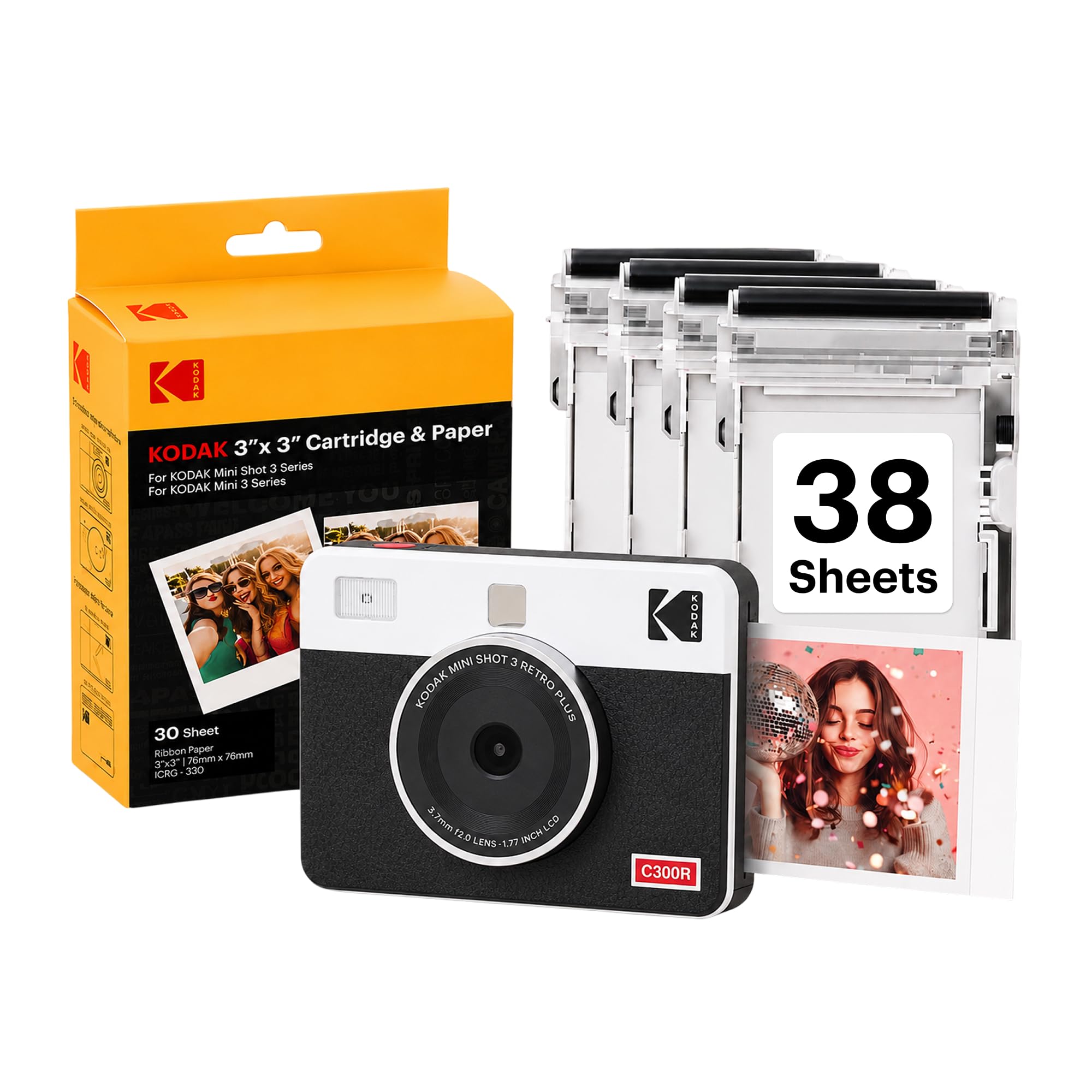
6,000+ ratings
Read Amazon ReviewsKodak Mini Shot 3 Retro
A practical pick for casual photographers who want to capture and print square photos on the go, with smartphone editing as an added option.
- Combines a digital camera and portable printer in one device.
- Prints square 3-by-3-inch photos using 4PASS dye sublimation, which applies three color layers and a clear protective lamination layer.
- Prints a photo in approximately 55 seconds.
- Bluetooth connection supports compatible iOS and Android devices through the KODAK Photo Printer app.

Pros
- Combines capture and printing in one portable device.
- Can print from the camera or from a compatible smartphone.
Consider before buying
- The 3-by-3-inch square format is less suited to buyers who want larger prints or another aspect ratio.
- Printing depends on photo paper and cartridges, so ongoing supplies are part of using the camera-printer.
Read the full review summary
The Mini Shot 3 Retro is designed for people who enjoy turning everyday photos into physical keepsakes.
It can print from the camera or from a compatible iOS or Android phone through the KODAK Photo Printer app, where you can edit, crop, and customize images before printing.
Its 3-by-3-inch square format suits scrapbooks, albums, photo displays, and party snapshots.
The included bundle has four cartridges and 38 sheets of photo paper, along with a USB-C cable and strap, making it a useful starter setup for casual photo projects.
The buying factors
Kodak Mini Shot 3 Scorecard
Editorial scores reflect listed features and buyer fit; they are not laboratory measurements or customer ratings.
All-in-one convenience
Combines camera capture and printing, with smartphone printing as another route.
Print format
Square 3-by-3-inch prints suit albums, scrapbooks, and display projects.
Phone editing
Bluetooth and the app support editing, cropping, and customization before printing.
Print finish
The 4PASS process adds a clear protective lamination layer to the print.
On-the-go use
Its compact design and included strap support carrying it to events and trips.
Creative flexibility
Camera and phone printing offer two ways to make physical photos.
Key Features and Specifications of Kodak Mini Shot 3
- Combines a digital camera and portable printer in one device.
- Prints square 3-by-3-inch photos using 4PASS dye sublimation, which applies three color layers and a clear protective lamination layer.
- Prints a photo in approximately 55 seconds.
- Bluetooth connection supports compatible iOS and Android devices through the KODAK Photo Printer app.
- The app allows photo editing, cropping, and customization before printing.
- The bundle includes the camera, four cartridges, 38 sheets of photo paper, a USB Type-C cable, a strap, and a user guide.
Pros and Cons of Kodak Mini Shot 3
Pros
- Combines capture and printing in one portable device.
- Can print from the camera or from a compatible smartphone.
- Square prints work well for albums, scrapbooks, and small displays.
- The protective lamination layer is designed to resist fingerprints, water, and fading.
Consider before buying
- The 3-by-3-inch square format is less suited to buyers who want larger prints or another aspect ratio.
- Printing depends on photo paper and cartridges, so ongoing supplies are part of using the camera-printer.
- Phone printing requires a compatible device and the KODAK Photo Printer app.
Who Should Buy Kodak Mini Shot 3?
Good fit
Consider the Kodak Mini Shot 3 Retro if you want a simple way to make physical photos at gatherings, on trips, or during creative projects.
Having a camera and printer together keeps the process straightforward, while phone printing gives you a chance to adjust a picture before committing it to paper.
The included paper and cartridges provide supplies to start with, and the strap helps with carrying the unit.
Its square prints are a good match for scrapbooks, albums, and photo-booth-style keepsakes where a compact format is part of the appeal.
Who should skip it
Choose a different format if your main goal is larger photographs or prints that fit a non-square layout. Before buying, check whether 3-by-3-inch prints work for the albums, frames, or projects you have in mind.
This model may be less convenient if you prefer a printer that does not rely on dedicated paper and cartridges, or if you want to print from a phone without installing its app.
Confirm the app and supply arrangement suits your routine.
How the Kodak Mini Shot 3 Fits Casual Photo Printing
Camera and printer in one
The all-in-one design is useful when you want to capture and share a moment in the same session.
It also lets you choose between taking a picture with the device and sending a phone image to print, which makes it adaptable for gatherings and small creative projects.
A square keepsake format
The 3-by-3-inch output gives photos a consistent square shape that can make album pages and scrapbooks easy to arrange.
That format also sets a clear boundary: check your intended frames and display space before choosing it as your main photo printer.
Layered dye-sublimation printing
The 4PASS process builds the image in three color layers and finishes it with a clear protective layer.
The design is intended to help prints resist fingerprints, water, and fading, while the stated print time of approximately 55 seconds sets expectations for making a keepsake rather than producing a rapid stack of photos.
Phone printing and preparation
Bluetooth and the KODAK Photo Printer app let compatible phones send photos for printing. Editing and cropping before output can be helpful with images taken elsewhere, particularly when framing a phone photo for a square print.
Alternatives to Kodak Mini Shot 3
Sticker-print alternative
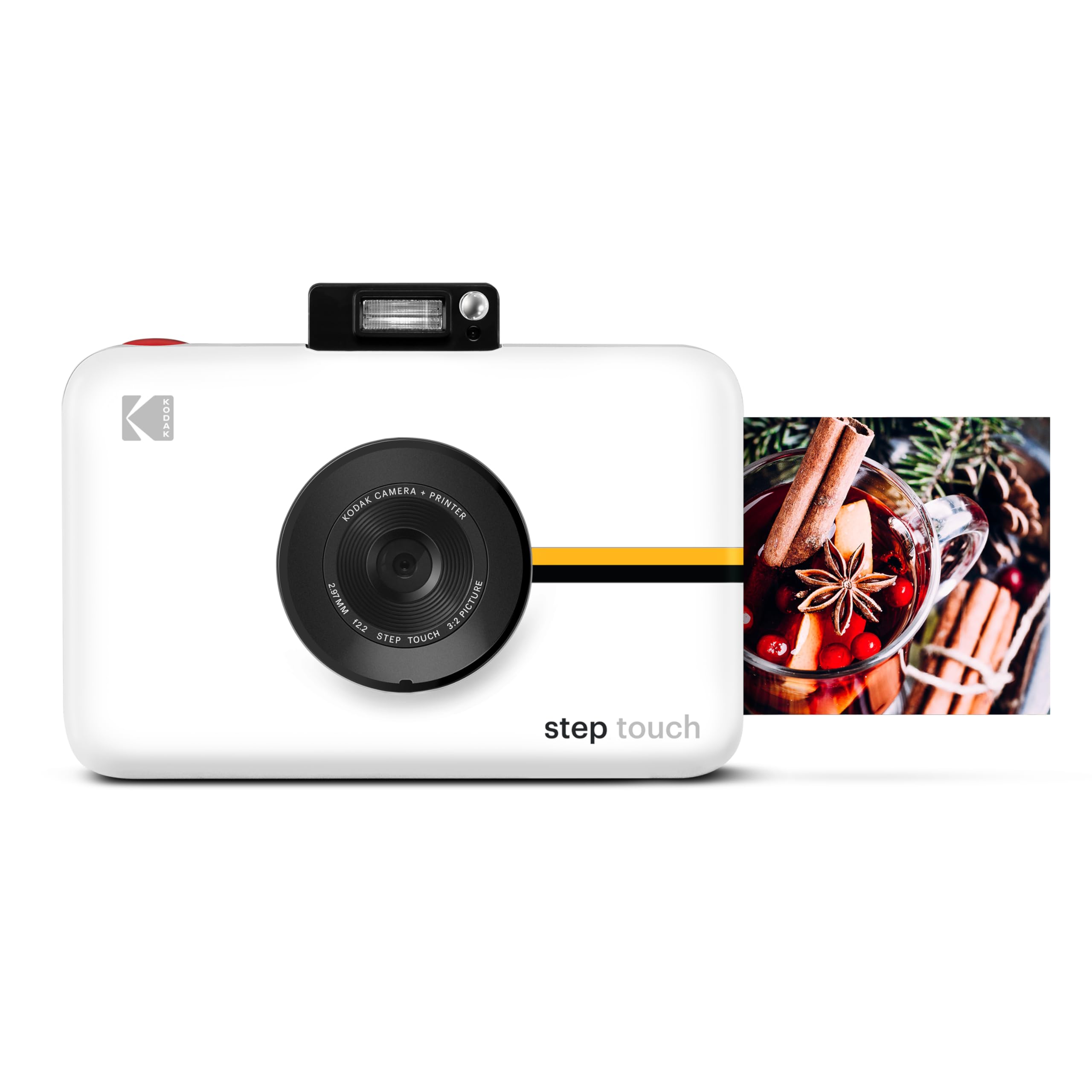
1,000+ ratings
Read Amazon ReviewsKodak Step Touch
Consider the Step Touch if a larger touchscreen, video capture, zoom, or smaller sticky-back prints better match your routine. The Mini Shot 3 is the more direct fit if you prefer square 3-by-3-inch prints and its 4PASS process.
- The Step Touch combines a 13MP camera with a 3.5-inch touchscreen, 1080p video recording, Bluetooth, and a built-in ZINK printer for 2-by-3-inch sticky-back prints.
- Its listed features also include a 10X optical zoom and onboard editing options.
- The Mini Shot 3 Retro centers on 3-by-3-inch square prints and uses 4PASS dye sublimation with a protective lamination layer.
Sticker-print alternative
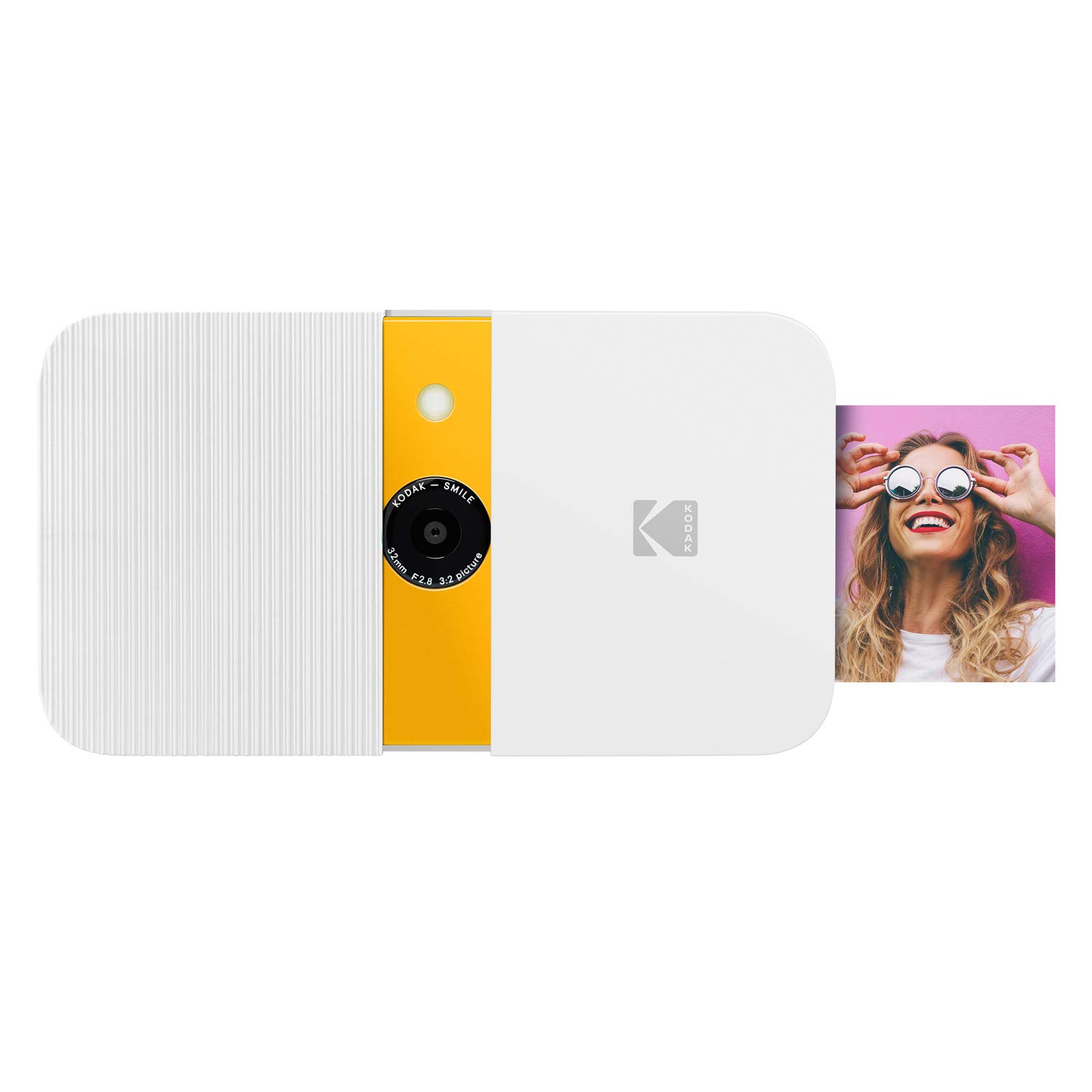
500+ ratings
Read Amazon ReviewsKodak Smile Instant Print Digital Camera
The Smile may suit buyers who want smaller adhesive-backed prints and a camera with an integrated editor. Choose the Mini Shot 3 if square prints and smartphone-based editing are more useful to you.
- The Kodak Smile uses ZINK technology to print 2-by-3-inch sticky-backed photos.
- It has a 10MP camera, LCD viewfinder, built-in editor, auto flash, two picture modes, and a rechargeable battery rated for up to 40 prints per charge.
- The Mini Shot 3 Retro can print from the camera or a compatible phone and produces 3-by-3-inch square photos.
Is Kodak Mini Shot 3 Worth It?
The Kodak Mini Shot 3 Retro is worth considering if you want one compact device for taking and printing square photos, with smartphone printing available when you want to edit an image first.
Its included paper and cartridges make it easy to start using the camera-printer for casual projects and events.
Buy it if the 3-by-3-inch format, app-based workflow, and cartridge-and-paper supplies suit your plans. If you need another print size or a broader set of camera features, compare those priorities before choosing.
Your review at a glance
6,000+ ratings
Read Amazon ReviewsKodak Mini Shot 3 Retro
A practical pick for casual photographers who want to capture and print square photos on the go, with smartphone editing as an added option.
- Combines a digital camera and portable printer in one device.
- Prints square 3-by-3-inch photos using 4PASS dye sublimation, which applies three color layers and a clear protective lamination layer.
- Prints a photo in approximately 55 seconds.
- Bluetooth connection supports compatible iOS and Android devices through the KODAK Photo Printer app.