The Silkland DP80 DisplayPort Cable review is most relevant to gamers who need a short connection between a DisplayPort-equipped computer and monitor, especially when both devices can use DisplayPort 2.1 bandwidth.
Its 1.6-foot length favors tidy, nearby setups and supports a wide range of high-resolution and high-refresh modes, subject to the capabilities of the connected hardware.
Silkland DP80 Review Summary
The quick verdict
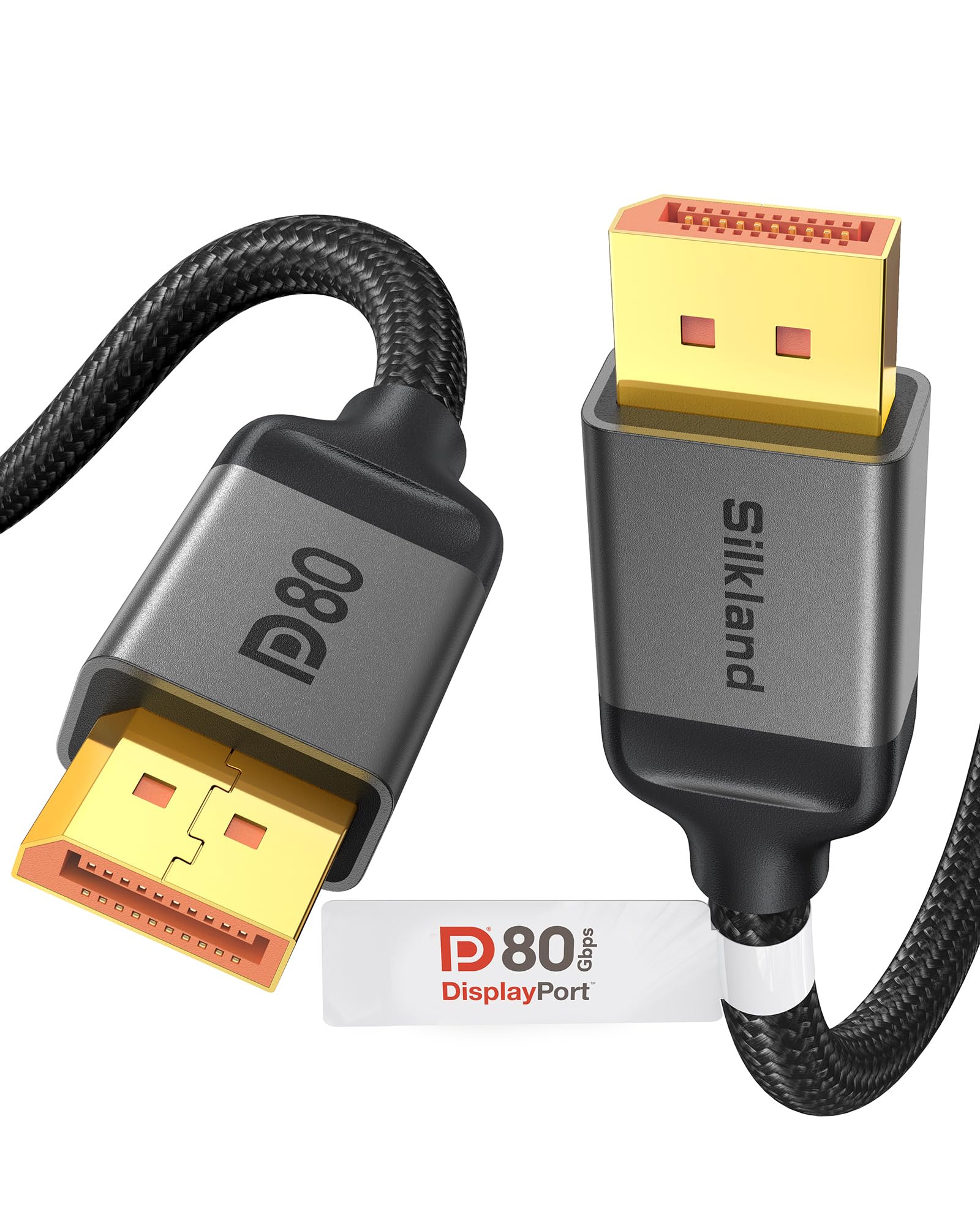
2,000+ ratings
Read Amazon ReviewsSilkland DP80 DisplayPort Cable
A 1.6-foot VESA-certified cable for gamers connecting DisplayPort 2.1 equipment at a nearby desk setup.
- DisplayPort 2.1 cable with VESA certification and an 80Gbps data rate.
- Supports uncompressed 4K at 240Hz, 8K at 60Hz, and 2K at 540Hz; with DSC enabled, listed modes include up to 16K at 60Hz, 8K at 240Hz, and 4K at 540Hz.
- Supports UHBR20, DSC 1.2a, VRR, FEC, ALLM, MST, dynamic HDR10+, 3D, and HDCP 2.3.
- Backward compatible with DisplayPort 2.0 and 1.4; supports uncompressed audio pass-through for 7.1, 5.1, and 2.0 channel formats.

Pros
- High 80Gbps bandwidth and VESA certification suit compatible DisplayPort 2.1 systems.
- The short 1.6-foot length can help keep a nearby monitor connection compact.
Consider before buying
- The 1.6-foot reach is restrictive if the computer and display sit farther apart or the cable must follow a longer route.
- The highest listed resolutions and refresh rates depend on compatible source hardware, display support, and DSC where specified.
Read the full review summary
Silkland’s DP80 is a male-to-male DisplayPort cable with an 80Gbps data rate, VESA certification, and a short 1.6-foot reach.
Its listed modes include uncompressed 4K at 240Hz, 8K at 60Hz, and 2K at 540Hz; with DSC enabled, it supports up to 16K at 60Hz, 8K at 240Hz, and 4K at up to 540Hz.
Those ceilings make it a candidate for demanding gaming displays, but the graphics card, monitor, and connection settings determine which mode is available.
The design also includes a latch-free plug, gold-plated connectors, tinned copper conductors, triple shielding, and a nylon exterior.
These details may appeal to buyers who want a compact cable for a fixed gaming desk, with less slack to manage.
Its length is the central fit question: measure the route between ports, including any bend or movement required, before choosing it.
The buying factors
Silkland DP80 Scorecard
Editorial scores reflect listed features and buyer fit; they are not laboratory measurements or customer ratings.
High-bandwidth gaming fit
80Gbps and support for UHBR20 position it for compatible high-end display setups.
Resolution and refresh range
The listed uncompressed and DSC modes cover a broad range of demanding display configurations.
Desk setup flexibility
At 1.6 feet, it suits close components but leaves little routing slack.
Build details
Triple shielding, tinned copper, gold-plated connectors, and a nylon exterior are useful design features.
Device compatibility
It is designed for DisplayPort-equipped computers and monitors, with backward compatibility across several DP generations.
Multi-display support
MST is supported, though the connected devices and setup must also support the intended arrangement.
Key Features and Specifications of Silkland DP80
- DisplayPort 2.1 cable with VESA certification and an 80Gbps data rate.
- Supports uncompressed 4K at 240Hz, 8K at 60Hz, and 2K at 540Hz; with DSC enabled, listed modes include up to 16K at 60Hz, 8K at 240Hz, and 4K at 540Hz.
- Supports UHBR20, DSC 1.2a, VRR, FEC, ALLM, MST, dynamic HDR10+, 3D, and HDCP 2.3.
- Backward compatible with DisplayPort 2.0 and 1.4; supports uncompressed audio pass-through for 7.1, 5.1, and 2.0 channel formats.
- Male-to-male connectors, a latch-free plug design, 24K gold-plated connectors, 28AWG tinned copper conductors, and triple shielding.
- Nylon exterior and a 1.6-foot length, intended for indoor use.
- The manufacturer offers 24-month service and technical support.
Pros and Cons of Silkland DP80
Pros
- High 80Gbps bandwidth and VESA certification suit compatible DisplayPort 2.1 systems.
- The short 1.6-foot length can help keep a nearby monitor connection compact.
- Latch-free connectors avoid a release tab, while the listed materials and shielding emphasize a durable, interference-conscious design.
- Supports gaming-oriented features including VRR, ALLM, DSC, and MST.
Consider before buying
- The 1.6-foot reach is restrictive if the computer and display sit farther apart or the cable must follow a longer route.
- The highest listed resolutions and refresh rates depend on compatible source hardware, display support, and DSC where specified.
- Its short length is less convenient for flexible desk layouts or multi-monitor cable routing.
Who Should Buy Silkland DP80?
Good fit
Consider the Silkland DP80 if your computer and monitor are close together and both have DisplayPort connections.
It is particularly suitable when you want a cable rated for high-bandwidth DisplayPort 2.1 use, with gaming features such as VRR and ALLM in the feature set.
Before buying, check the display and graphics-card specifications for the exact resolution, refresh rate, and DisplayPort mode you plan to use.
Confirm whether that mode relies on DSC, and measure the full cable path rather than just the straight-line distance between ports.
For a fixed desk where a short cable helps reduce excess slack, its compact reach and reinforced construction details are a sensible combination.
Buyers who expect to move equipment or reroute the setup should make sure the cable can reach comfortably first.
Who should skip it
Skip this length if your PC and monitor are more than a short distance apart, or if you need extra slack for a standing desk, monitor arm, or equipment repositioning.
Look for another cable option if your setup requires a longer run or uses a different connector type. This cable is DisplayPort male-to-male.
What the Silkland DP80 Means for a Gaming Setup
Bandwidth and display modes
The DP80’s 80Gbps rate is intended for high-throughput DisplayPort 2.1 connections. Its listed uncompressed modes include 4K at 240Hz, 8K at 60Hz, and 2K at 540Hz, while several higher ceilings rely on DSC.
These are supported-mode claims for a compatible system, not a guarantee that every computer and monitor combination can run each mode.
Check the whole signal chain
The product notes recommend that both the graphics card and monitor support DisplayPort 2.1 UHBR20.
That is a practical starting point for buyers targeting the cable’s top bandwidth, but check the display and GPU specifications for the precise mode you want.
Also confirm whether the monitor’s refresh rate is available over its DisplayPort input and whether DSC is needed.
A short cable changes the layout
At 1.6 feet, this is best suited to equipment positioned close together.
A short run can reduce spare cable around a compact desk, but port placement, cable bends, and the route behind the desk all use some of that reach.
Measure the actual path before ordering, especially if the display moves or the PC sits under the desk.
Build and gaming features
The cable combines tinned copper conductors and triple shielding with a nylon exterior and gold-plated connectors.
These are construction choices aimed at signal integrity and resistance to wear; they do not replace checking connector fit or planning the route.
The latch-free design may make plugging and unplugging straightforward, while VRR, ALLM, FEC, and MST are relevant only when supported by the connected devices and configuration.
Alternatives to Silkland DP80
One useful alternative is included because it offers a substantially longer reach with a different bandwidth rating.
Computer DisplayPort Cables alternative
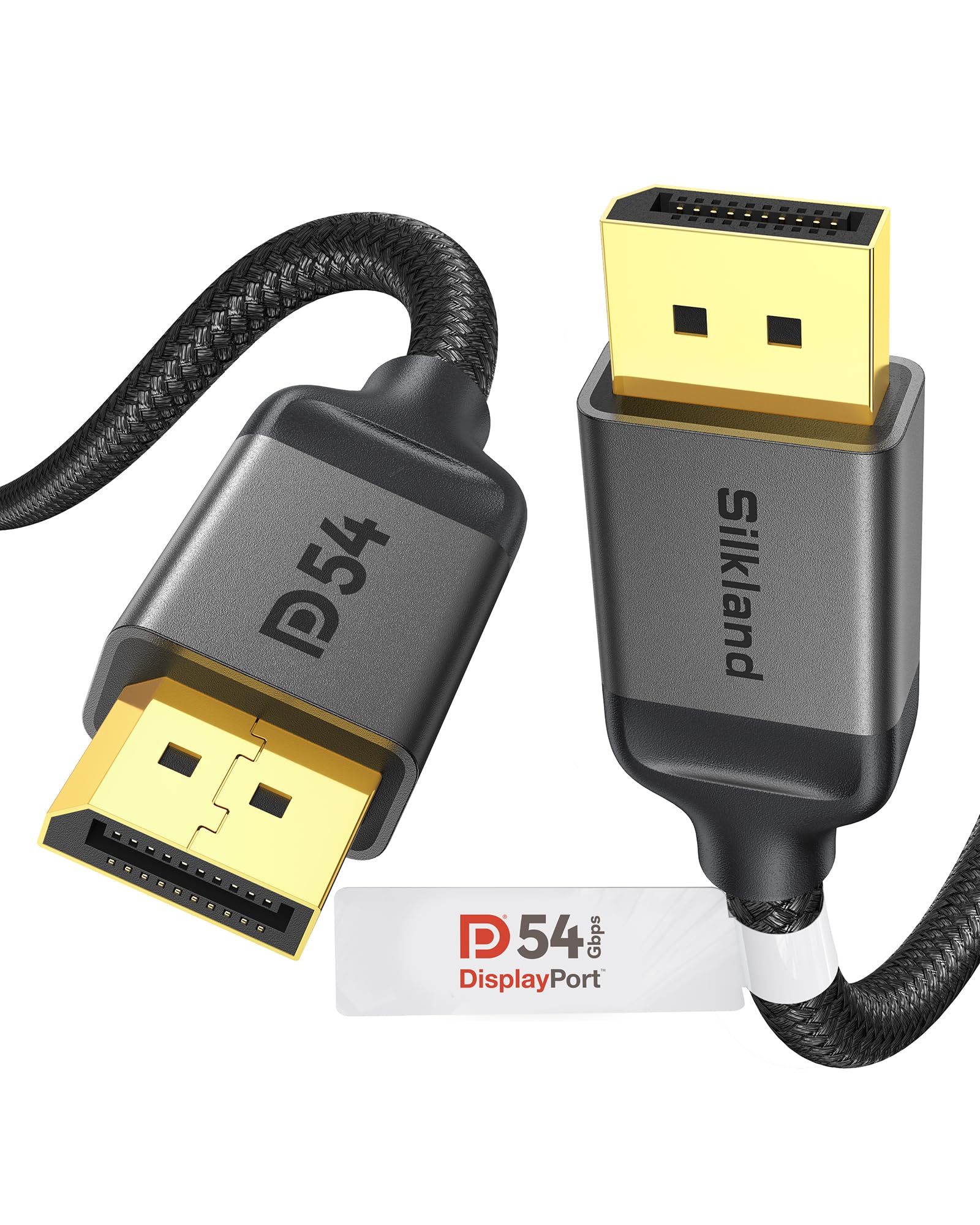
7,000+ ratings
Read Amazon ReviewsSilkland 54Gbps DisplayPort 2.1 Cable, 10 ft
Choose the DP80 when the short reach works and you want its higher 80Gbps rating. Consider the 10-foot option when routing distance matters more and its 54Gbps rating and listed display modes fit your equipment.
- This 10-foot Silkland cable is rated at 54Gbps and lists support for 16K at 60Hz with DSC, 8K at 120Hz, and 4K at up to 240Hz.
- It also supports Dynamic HDR, DSC 1.2a, and backward compatibility through DisplayPort 1.0.
- The DP80 offers an 80Gbps data rate and a 1.6-foot cable length, making it a fit for nearby components and higher-bandwidth configurations.
Is Silkland DP80 Worth It?
The Silkland DP80 is worth considering for a compact gaming desk when both ends are DisplayPort-equipped and the short cable route is practical.
Its 80Gbps rating, VESA certification, and support for modern gaming features make it a well-matched option for compatible DisplayPort 2.1 hardware.
Measure carefully and confirm the mode you want against the graphics card and monitor specifications, especially for the highest refresh rates and DSC-dependent resolutions. If you need more reach or regular repositioning room, choose a longer cable instead.
Your review at a glance
2,000+ ratings
Read Amazon ReviewsSilkland DP80 DisplayPort Cable
A 1.6-foot VESA-certified cable for gamers connecting DisplayPort 2.1 equipment at a nearby desk setup.
- DisplayPort 2.1 cable with VESA certification and an 80Gbps data rate.
- Supports uncompressed 4K at 240Hz, 8K at 60Hz, and 2K at 540Hz; with DSC enabled, listed modes include up to 16K at 60Hz, 8K at 240Hz, and 4K at 540Hz.
- Supports UHBR20, DSC 1.2a, VRR, FEC, ALLM, MST, dynamic HDR10+, 3D, and HDCP 2.3.
- Backward compatible with DisplayPort 2.0 and 1.4; supports uncompressed audio pass-through for 7.1, 5.1, and 2.0 channel formats.